How to join the Caufix iOS beta
Install the Caufix beta on your iPhone or iPad with TestFlight in five steps and tell us what to improve.
By the Caufix team ·

We are testing the Caufix app for iPhone and iPad, and you can be among the first to use it. The beta runs through TestFlight, Apple's official app for trying versions before release. There is nothing to sideload and updates arrive automatically. Setup takes about two minutes.
Join in five steps
- Install TestFlight. Find it in the App Store (it is free and made by Apple). If you already have it, go to step 2.
- Open the invitation. On your iPhone, tap Join the Caufix beta.
- Accept and install. In TestFlight tap Accept, then Install. Caufix appears on your home screen with an orange beta dot.
- Sign in and explore. Open Caufix with your usual account. Try a sale, an order and the product list.
- Send feedback. Take a screenshot inside Caufix, tap Share Beta Feedback and describe what happened. Crash reports are sent automatically.
What you will see
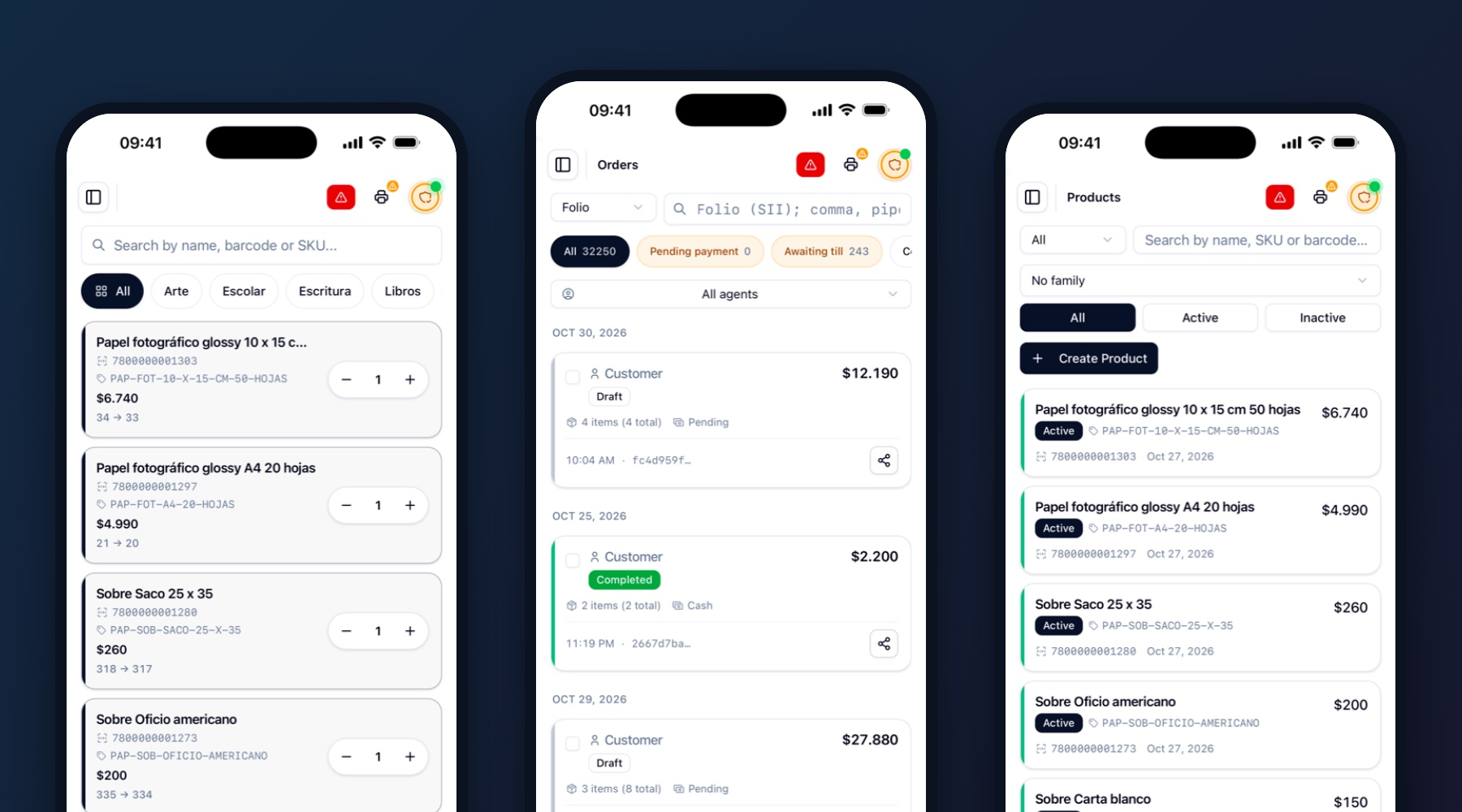
The app brings the same point of sale you already know: fast selling with search and barcode scanning, orders with their filters, and the product catalog.
What we would love you to test
- Create a sale using search and barcode scanning.
- Open and filter orders.
- Browse and edit products.
- Check the sales report.
- Printing, and using the app on a weak connection.
Good to know
- Each test build expires after 90 days. TestFlight tells you when a new one is ready.
- Beta data can be reset between builds.
- You need an iPhone or iPad and an Apple ID.
- Trouble installing? Write to us and we will help.